

A successful MFA challenge is usually a reassuring signal. With LinXcoded, it can instead be the final step before an attacker captures an authenticated Microsoft 365 session.
LinXcoded, publicly reported as Mirage2FA, is a commercial, Telegram-managed, multi-tenant adversary-in-the-middle (AiTM) phishing platform built for Microsoft 365 account takeover. It relays a target’s credentials and MFA interaction to Microsoft in real time, then steals the session created after authentication. An operator can replay that session without requiring the target to complete MFA again, meaning a password reset alone may not end the intrusion.
The platform pairs that capability with an unusual delivery model. Phishing messages arrive from compromised, authenticated Microsoft 365 tenants and carry the payload as an HTML attachment rather than a link in the message body. Together, these characteristics allow the attack to exploit trust in both the sender and the authentication process while reducing the artifacts many conventional email controls rely on.
Abnormal Intelligence deobfuscated the delivery and harvesting chain and confirmed that the tooling belongs to the publicly reported Mirage2FA platform.
The analysis below examines how the attack operates, what the target sees, who was targeted, and the recurring behaviors defenders can use to detect it.
How the LinXcoded Attack Chain Works
The attack begins with a routine-looking secure document, remittance, or signature review email sent from a compromised, authenticated Microsoft 365 tenant. An HTML attachment carries the payload.
Observed filenames varied but followed recurring patterns, including <org>eDocxs_Secured.Alert, Remitt-servicing ref#<hex>, and Signature_Required_Review-ref...html.
Stage 1: The HTML Attachment Loads the Remote Harvester
The approximately 3 KB HTML file is obfuscated to impede static analysis. At runtime, it performs a base64 decode, applies a single-byte XOR operation using key 0xAD, and decodes an inner base64 layer. The resulting loader appends a remote <script> element that retrieves the next stage from a customer-controlled harvesting server and pre-fills the recipient’s email address.
The message body contains no URL, and the malicious destination is introduced only after the attachment executes. As a result, conventional URL-scanning and link-rewriting controls have less to inspect before delivery.
Stage 2: The Verification Gate Screens for Analysis
The harvester first renders a fake Cloudflare Turnstile “verify you are human” challenge. Behind the gate, a hidden bot-trap element, developer-tools key blocking, and a debugger-timing check monitor for signs of automated analysis or an inspecting analyst. If such activity is detected, the visitor is redirected to a legitimate Microsoft Office Message Encryption page rather than continuing into the phishing flow, resulting in a benign-looking decoy outcome.
Together, these checks allow the platform to divert suspected analysis before exposing the credential harvesting page.
Stage 3: The Live Sign-In Relay Captures the Authenticated Session
After the verification gate, the target sees a Microsoft 365 sign-in clone with a full MFA method picker—i.e., authenticator number-match push, authenticator code (TOTP), SMS one-time code, and voice call. Using an adversary-in-the-middle (AiTM) relay, the page establishes a WebSocket connection to the harvesting infrastructure and proxies the target’s credentials and MFA interaction to Microsoft’s real authentication service. The platform captures the resulting post-MFA session cookie and separately sends submitted credentials to PHP collection endpoints.
An operator can then replay the stolen session into Microsoft 365 and access the target’s identity—without prompting the target to complete MFA again.
What the Target Sees
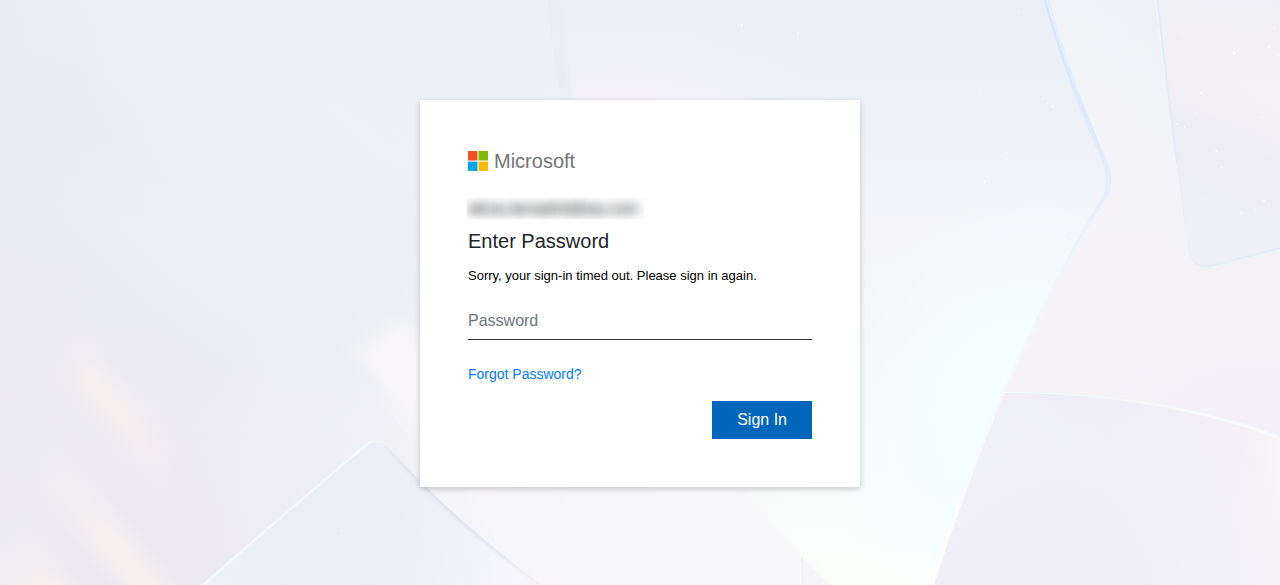
From the target’s perspective, the post-email interaction begins with a familiar Microsoft password prompt, prefilled with their address. What appears next depends on the MFA method configured for that account.
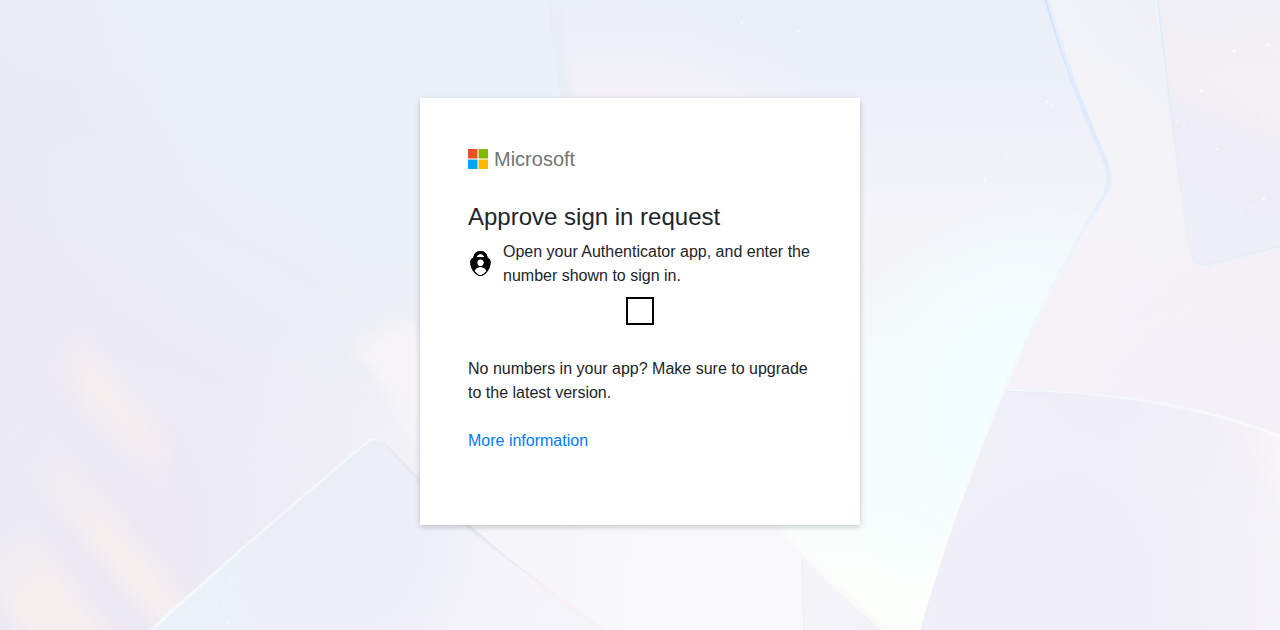
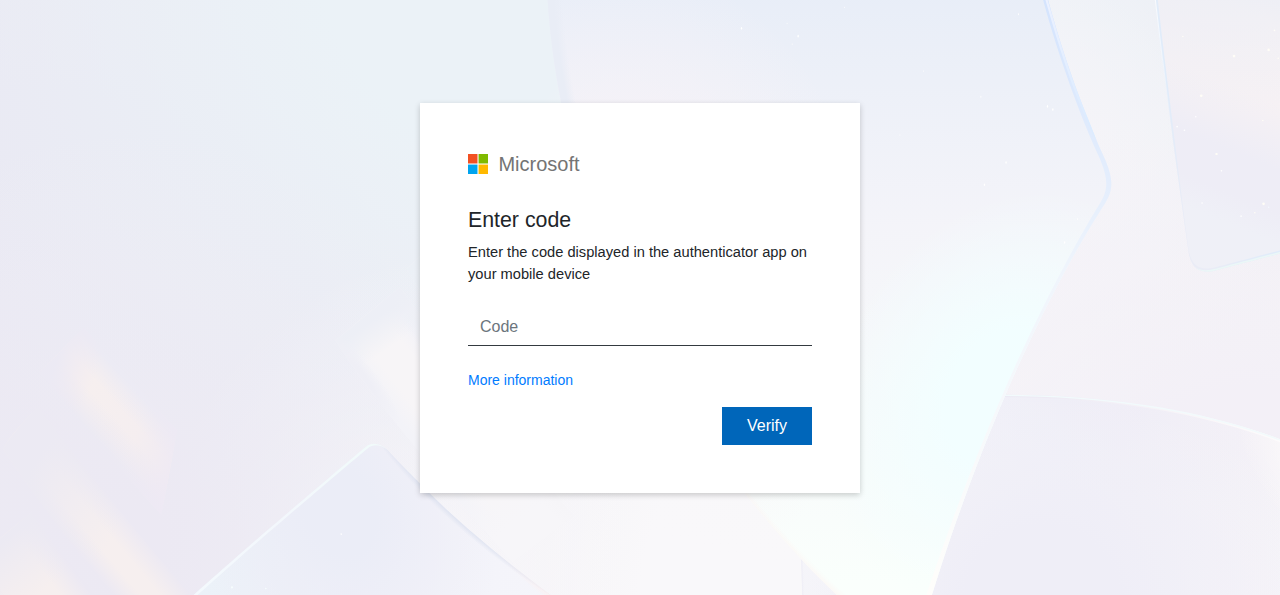
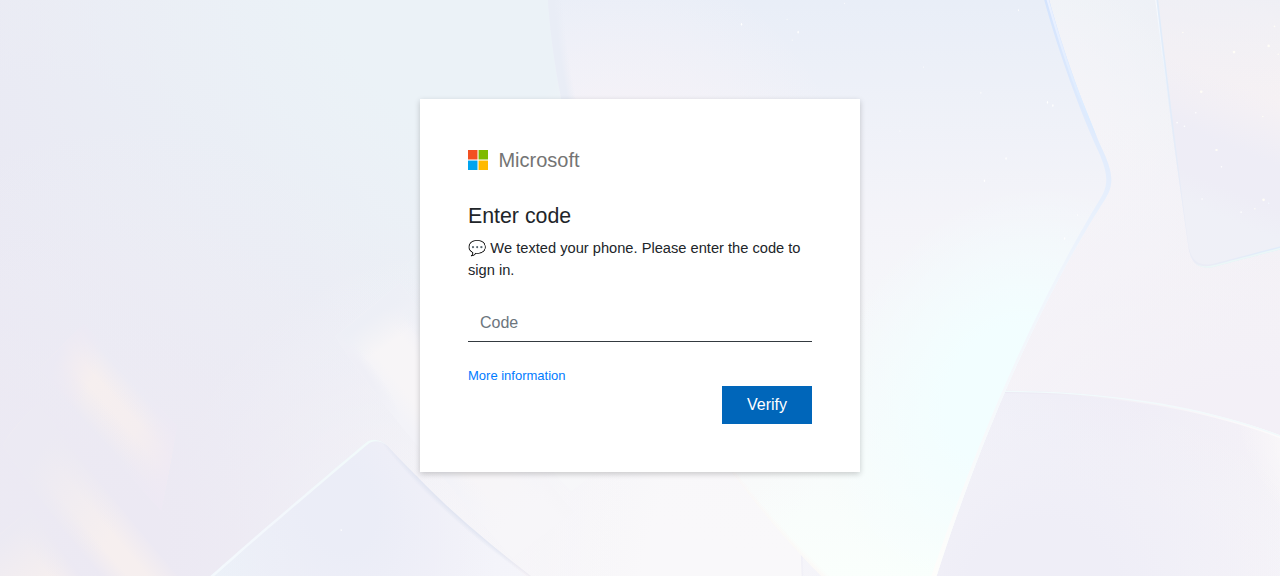
The examples below show each authentication path that LinXcoded can present and illustrate how closely the phishing flow mirrors the legitimate Microsoft authentication experience.
For accounts configured with Microsoft Authenticator number matching, LinXcoded presents the corresponding approval prompt:
If the account instead uses a time-based one-time password, the target is prompted to enter the code from their authenticator app:
Accounts configured for SMS authentication receive the equivalent prompt to enter the one-time code sent to the target’s phone:
For accounts using voice-call verification, LinXcoded presents a prompt instructing the target to answer the authentication call:
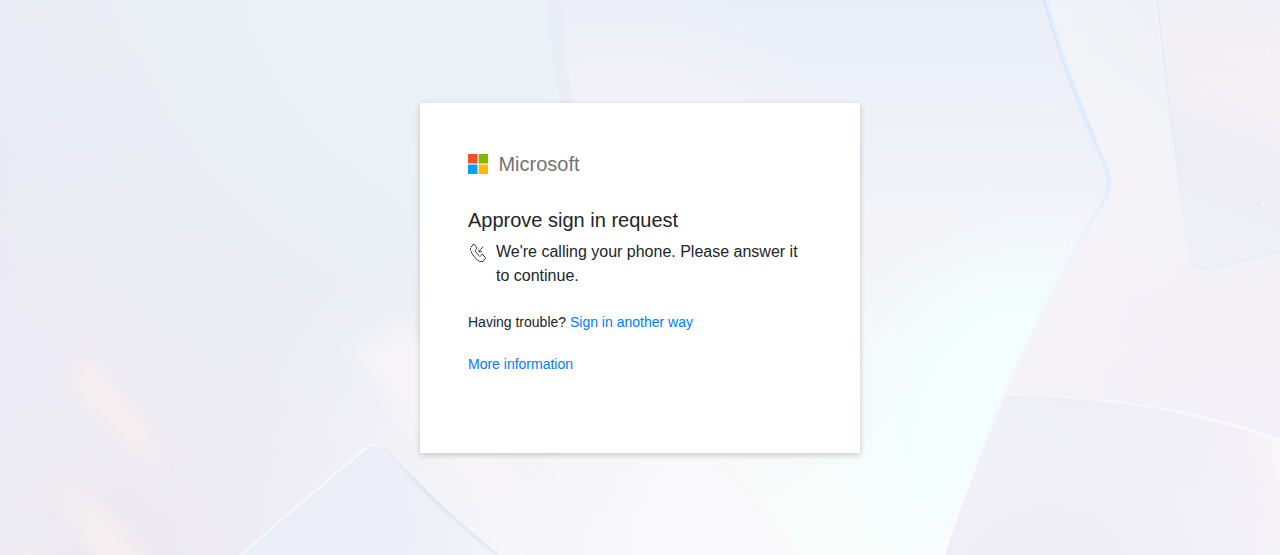
The consistency of the experience across these MFA paths helps the phishing flow remain convincing regardless of the authentication method configured for the account. In the activity Abnormal observed, that capability was used against a broad mix of organizations and job functions rather than a narrowly defined target set.
Who LinXcoded Operators Targeted
The activity Abnormal observed was not limited to a single industry. Manufacturing accounted for the largest concentration of recipients, followed by energy/utilities. Additional targets included holding companies, technology, finance, and hospitality organizations across the United States, Canada, and Mexico.
Recipients spanned operations and production, procurement and strategic sourcing, sales and account management, finance, human resources, engineering and IT, and general management. This breadth suggests that the operators selected recipients from broad relationship or contact data available through compromised sender accounts rather than limiting the campaign to finance or accounts payable roles.
How LinXcoded Operates as a Commercial Service
Telegram is a central part of LinXcoded’s commercial and management model. The management bot, identified as the “LinX CK Manager” bot (@LinX_CK_Server_bot), administers per-customer harvester instances, with commands including Start/Stop CK Server, Change CK Token/ChatID, Add/Remove IP, and Order Lookup. A storefront bot fronts sales, and a buyer ledger tracks customers.

The service includes an operator admin surface, shown below.
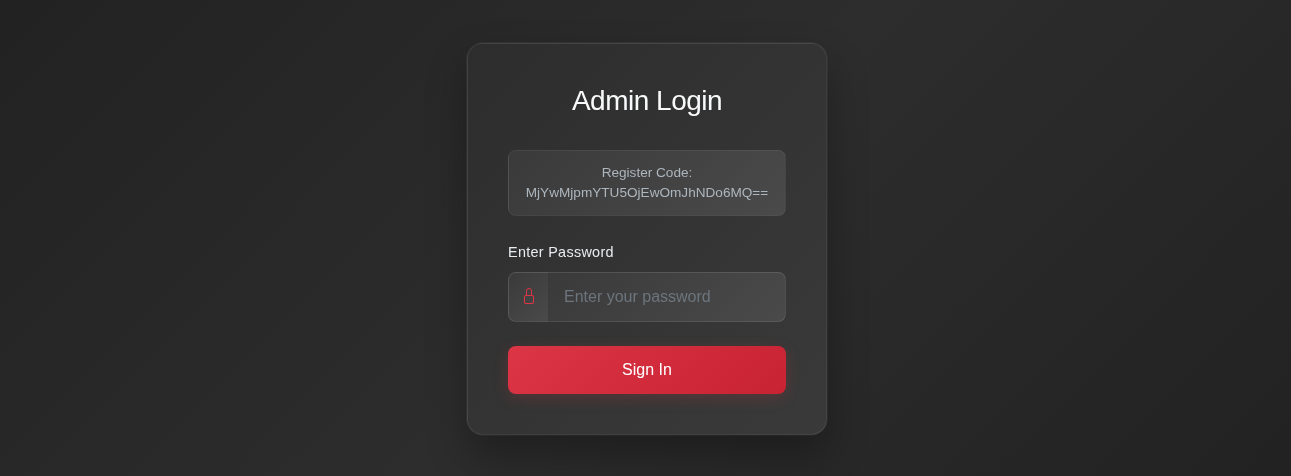
LinXcoded operator admin login panel, with base64-encoded register code, captured from a live deployment.
Abnormal Intelligence has not attributed the platform to a named individual. Telegram accounts administer the service, but the structure suggests a commercial, multi-tenant service rather than infrastructure dedicated to a single operator. Its core infrastructure runs on bulletproof hosting and has been in continuous operation since mid-2024—roughly two years before it was publicly named.
Established Techniques, Packaged as a Service
LinXcoded’s significance lies not in novel cryptography but in how it packages several established techniques into a single commercial platform. It combines HTML-attachment delivery with no body URL, real-time relay of Microsoft credentials and MFA, post-MFA session capture, and analyst evasion controls into a repeatable service designed to weaken defenses at multiple points in the attack chain.
The directly observed capability is Microsoft 365 account takeover through session replay. That access could support business email compromise by enabling operators to create mailbox rules, exploit the compromised account’s trusted relationships to target partners and vendors, and pursue downstream fraud.
At the same time, the platform’s consistent decode sequence, harvesting path structure, and attachment conventions create recurring fingerprints defenders can use for detection.
How to Detect and Defend Against LinXcoded
Because LinXcoded can reuse an authenticated session after MFA, defenses must extend beyond the initial authentication event. Effective protection requires controls across email, identity, device, and session layers.
Hunt for Stolen-Session Reuse
Hunt Microsoft Entra sign-in logs for indicators of stolen-session reuse, such as a new sign-in from an unfamiliar IP address or location shortly after a successful MFA-backed authentication. Correlate those events with “Anomalous Token,” “Unfamiliar sign-in properties,” impossible travel signals, and delivery of a secured document HTML attachment. No single event conclusively proves replay; prioritize clusters in which identity anomalies occur immediately after the recipient opens or receives a matching attachment.
Contain and Remediate
When compromise is confirmed or strongly suspected, revoke active sessions and refresh tokens, and reset the password. Review and remove attacker-added MFA methods, device registrations, Windows Hello keys, inbox rules, forwarding settings, and delegated access. Require fresh authentication for any subsequent changes to security information, and investigate downstream messages sent from the compromised account.
Identity and Conditional Access
Use Conditional Access authentication strengths to require phishing-resistant MFA, such as FIDO2 security keys, Windows Hello for Business, or passkeys, for privileged, executive, finance, and other high-risk users. Require compliant or managed devices for sensitive applications where operationally feasible, and enable Continuous Access Evaluation to shorten the useful life of revoked or risk-elevated sessions. These controls reduce risk but should be paired with monitoring to detect abuse of authenticated sessions.
Email and Attachment Controls
Treat HTML attachments that load a verification gate followed by a Microsoft sign-in page as high risk, particularly when the message body contains no URL. Detonate the attachment and emulate its runtime decoding sequence—base64, XOR with the key 0xAD, then inner base64—to identify the injected script host, rather than relying solely on static scanning. Alert on observed attachment-name variants including eDocxs_Secured.Alert|Remitt-servicing, and Signature_Required_Review and on the observed sender-pattern signature listed in the Tier 2 indicators below. A message should not be considered safe solely because it passed SPF, DKIM, and DMARC or originated from a known correspondent.
The Durable Defense Against LinXcoded
LinXcoded demonstrates how post-MFA session theft is being productized within commercial Microsoft 365 phishing services. Conventional MFA remains an essential control, but it cannot prevent an adversary-in-the-middle platform from reusing a session created after the target successfully authenticates. Defending against LinXcoded therefore requires controls that extend beyond the initial sign-in, including scrutiny of suspicious HTML attachments, phishing-resistant authentication, managed-device requirements, and monitoring for anomalous session reuse.
And because the platform is shared across multiple customers and operators, defenders should expect individual senders, domains, and infrastructure to change. The more durable opportunity is to hunt for the behaviors and technical fingerprints that persist across deployments.
For additional insight into the attack landscape, visit Abnormal Intelligence, our threat intelligence data and research hub.
Indicators of Compromise
Recommended action: detect = use as a detection or hunting signal; block = block the listed indicator; monitor = track the indicator for change
Tier 1: LinXcoded Kit Fingerprints
Indicator | Type | Context | Rec. |
HTML attachment → base64 → XOR 0xAD → base64 → injected <script> | Behavior | Attachment smuggler decode chain | detect |
user.cheacker[.]store/eor/xls/e1o2rcpt.js (and e1o2r.js) | URL | Harvester gate-verify → credential chain | detect |
/{eor,cmr,ulr,tsk,api,qnr,nsk,amr}/xls/<x>1<y>2<z>.js | URL pattern | Kit path grammar | detect |
wss://<host>/wsEor (also :8080/:8082/:8771) | URL | AiTM WebSocket relay | detect |
xwps.php (e.g. /lxk/xwps.php, /eor/xwps.php) | URL path | PHP credential collector | detect |
#dummy-bot-trap | HTML | Anti-analysis honeypot element | detect |
... eDocxs_Secured.Alert|Remitt-servicing ref#<hex> / Signature_Required_Review-ref...html | Lure pattern | Attachment naming | detect |
0x4AAAAAAB7DineLLQ0WdbbA | Turnstile sitekey | Fleet-enumeration pivot | monitor |
Tier 2: Campaign and Platform Infrastructure
Indicator | Type | Context | Rec. |
user.cheacker[.]store | Domain | Seed harvester + relay + management host | block |
letsgetitnow[.]store letsgetitnow2[.]store | Domain | xwps.php credential collectors | block |
server1.linxcoded[.]top sender.linxcoded[.]top | Domain | Vendor default relay/asset hosts | block |
iceusaa[.]com | Domain | Off-platform deployment (DigitalOcean) | block |
185.174.100.224 · .76 · .20 | IP | DeltaHost / ColoCrossing (AS36352); Windows/WAMP | block |
139.59.226.143 | IP | DigitalOcean deployment | block |
...|Remitt-ConfirmAxis.Automail|payments?campaign_label=...&email_sent=...&eaid=...&link_clicked= | Sender pattern | Raw-From attachment-delivery builder signature | detect |
