

Key Insights
Phishing remains the most common way attackers breach organizations, and email remains a critical place to stop those attacks. But attackers are increasingly finding other ways in. Rather than relying on phishing alone, they’re turning to channels outside the inbox to obtain credentials and bypass traditional security controls.
The Soft Underbelly of Your Organization: The IT Helpdesk
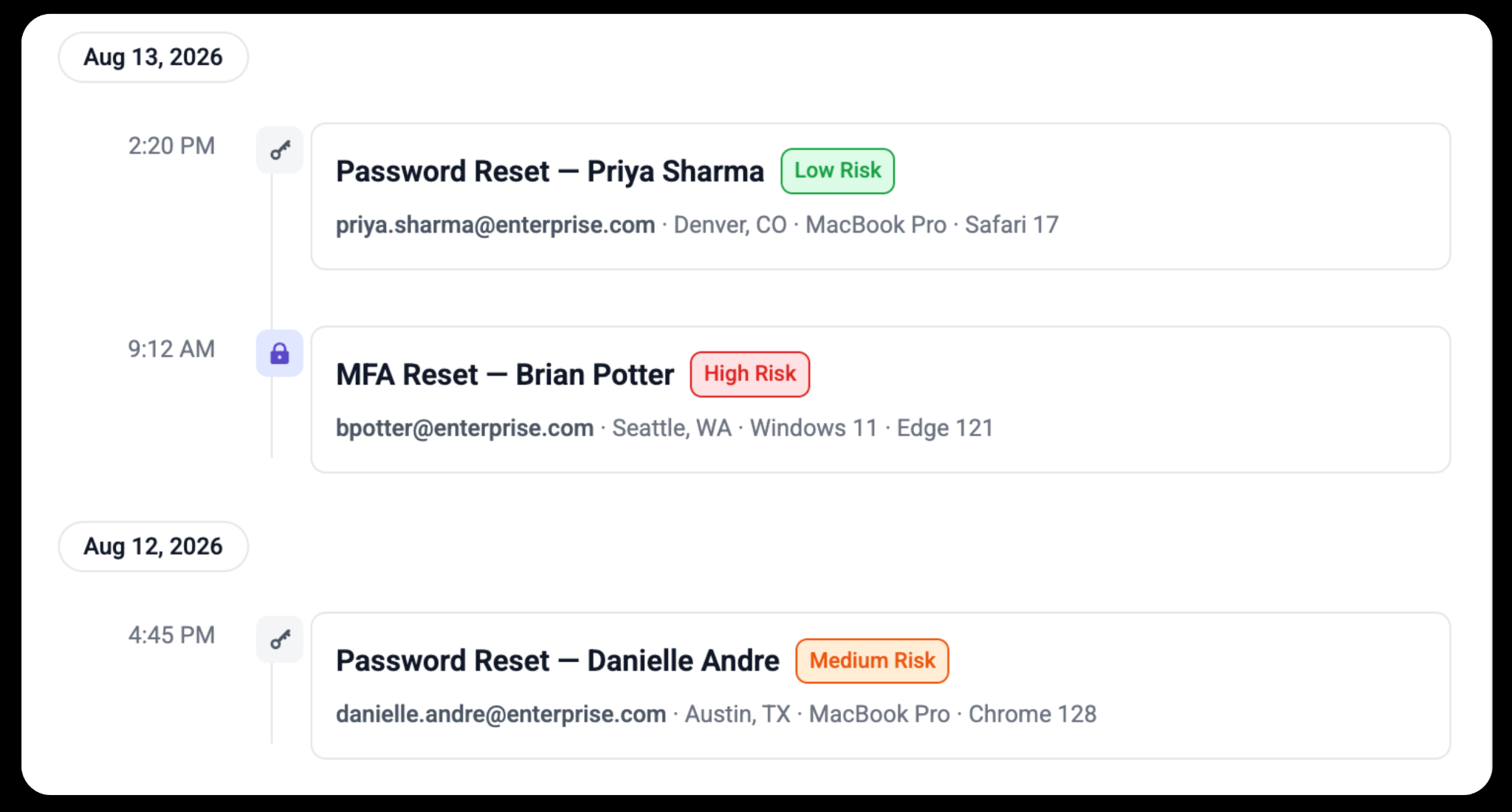
According to IBM’s latest 2026 breach report, social engineering via helpdesk impersonation is the 2nd most costly and 3rd most common initial attack vector used to breach organizations. This is because helpdesk teams are overwhelmed with requests, and password-based MFA resets are consistently one of the most time-consuming ticket types they handle. Verification depends on human judgement, and when someone who sounds like a high-priority VIP requests an urgent reset, the helpdesk often falls victim to social pressure.
This is how helpdesk impersonation works:
Reconnaissance — The attacker researches a target employee ahead of time, often a VIP or someone with valuable access, pulling details from LinkedIn, company announcements, and other public sources.
A Phone Call — The attacker calls the helpdesk, impersonating that employee. They use urgency ("I'm locked out and I have a meeting in 10 minutes"), workplace psychology, and the researched details to sound legitimate when challenged.
The Ask — They request a password reset or a new MFA device be registered to a phone number they control, framing it as a routine, low-risk request rather than anything suspicious.
The Handoff — If the helpdesk team complies, the attacker now has valid credentials and a working MFA method—a fully "legitimate" login from the system's perspective—with no malware and no phishing email anywhere in the chain.
Groups targeting the helpdesk, like Scattered Spider, are continuing to ramp their activities in 2026; recently, they’ve formed a unified collective with ShinyHunters and LAPSUS$. The traditional approach to resets is not working, requiring a creative solution to bail out the helpdesk.
Making Identity Resets Behavior-Aware, Not Just Automated
Most traditional self-service reset tools are designed to remove the helpdesk from the loop entirely. That model often depends on every employee having a registered second factor, like a personal device or authenticator app, which isn't realistic for every workforce.
This outdated approach often results in those users getting pushed right back into the same human-facilitated reset process the tool was meant to replace. Even where a second factor exists, it can still be vulnerable to social engineering, whether through MFA push bombing or by convincing an employee to approve a request they didn’t initiate. The relevant telemetry that might assist with analyzing a request typically lands in a SOC analyst's console rather than with the helpdesk agent actually performing the reset, leaving no unified signal and no way to tell a locked-out employee from someone reading a script off a stolen LinkedIn profile.
Abnormal takes a different approach with Adaptive Identity Reset. Because Abnormal already builds a behavioral baseline for every identity in an organization, that same intelligence extends to the reset request itself, scoring it against real patterns like device, location, and typical behavior before access is ever granted.
Low-risk requests clear automatically, while anomalies trigger a knowledge-based challenge: questions built around real workplace activity, like meetings attended or apps accessed, that only the actual employee would be able to answer. Rather than leaving the information needed to make that judgment call buried in a SOC console and extractable only by a SOC analyst, the full picture, behavioral risk factors and all, is delivered directly to the helpdesk agent handling the request, so they are empowered to make a decision with full context.
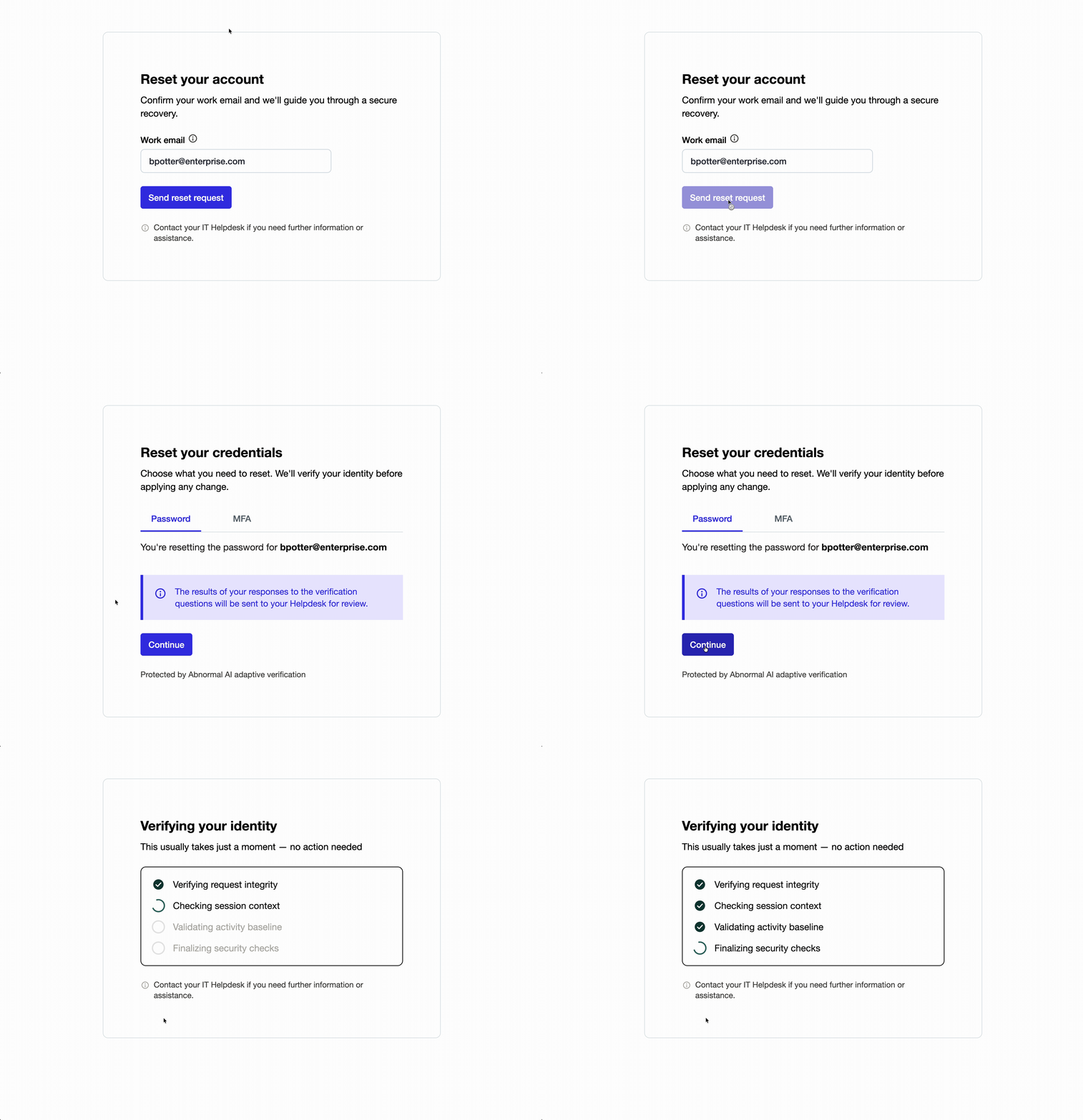
For example, the helpdesk would see that an MFA reset request is coming from the right person's usual city but the wrong device and browser, while a routine password reset from someone's known device and location clears without friction.
As attackers continue to refine their tactics, the helpdesk doesn't need more manual scrutiny. It needs a system that can differentiate a locked-out employee from a sophisticated and well-researched impersonator before the call even connects.
Learn more about Adaptive Identity Reset and Identity Threat Protection by scheduling a demo.
Schedule a Demo
